
Save website filters & form presets with a Chrome extension.
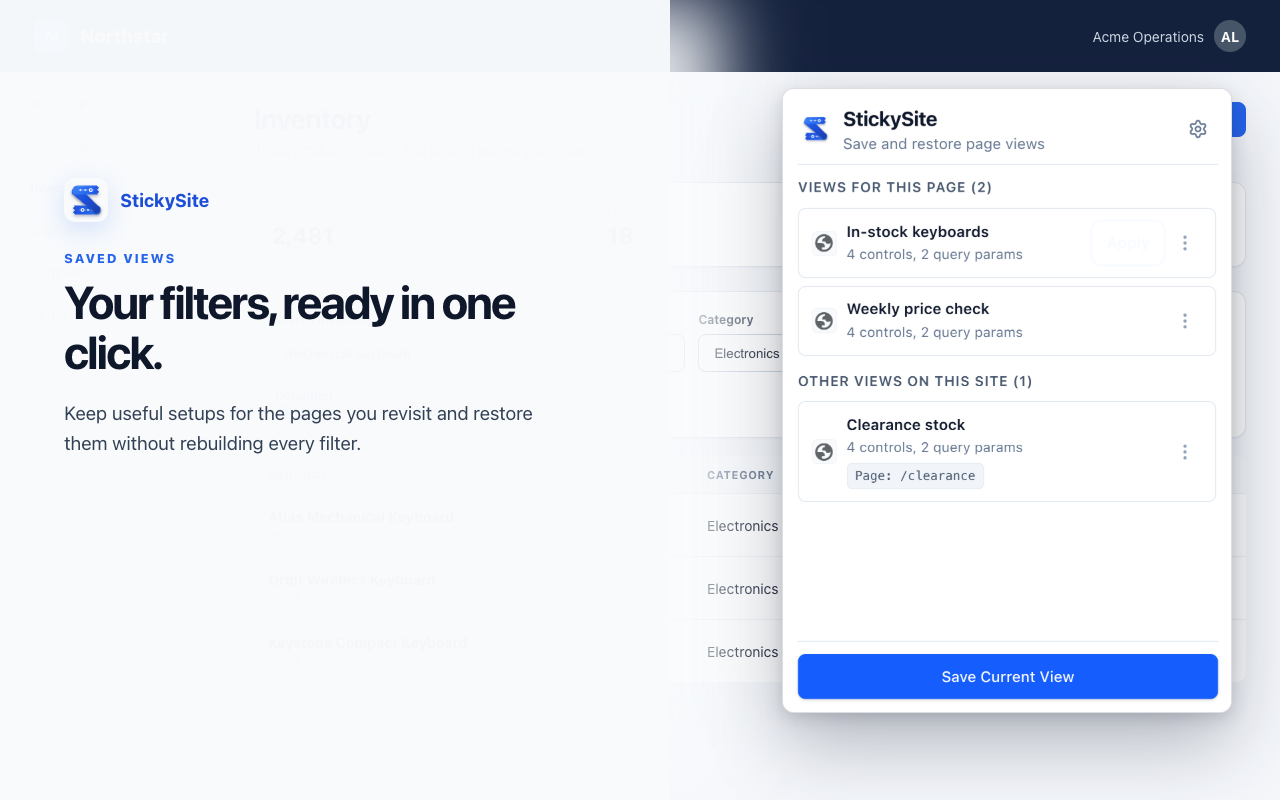
Traditional bookmarks only save static URLs. StickySite remembers your exact dropdown selections, date pickers, search terms, and form states on any website—restoring them in a single click.
Why browser bookmarks aren't enough anymore
Web applications evolved from static pages into complex interactive software. Browser bookmarks remained stuck in 1995.
Only remembers where you were, not what you did
- Loses dropdown selections & dynamic select menus
- Wipes custom date ranges on reporting analytics
- Resets table filters, checkbox facets, and sort toggles
- Forces 30–60 seconds of tedious manual clicking on every visit
- Fails on client-rendered SPA forms that don't serialize into URL bars
Restores your exact interactive configuration
- Scans interactive form controls, text inputs, radios & dropdowns
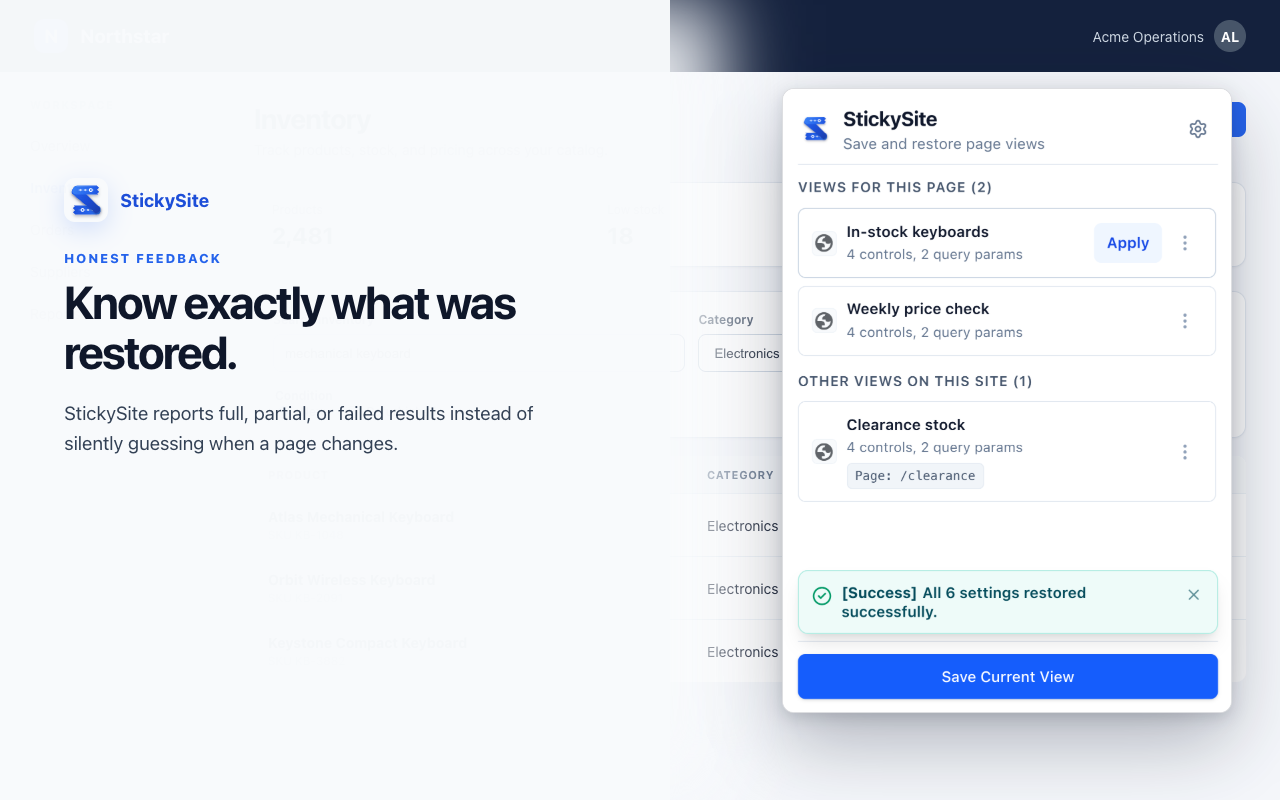
- One-click instant restoration with real-time feedback
- Smart cross-page navigation: visits target URL then applies presets
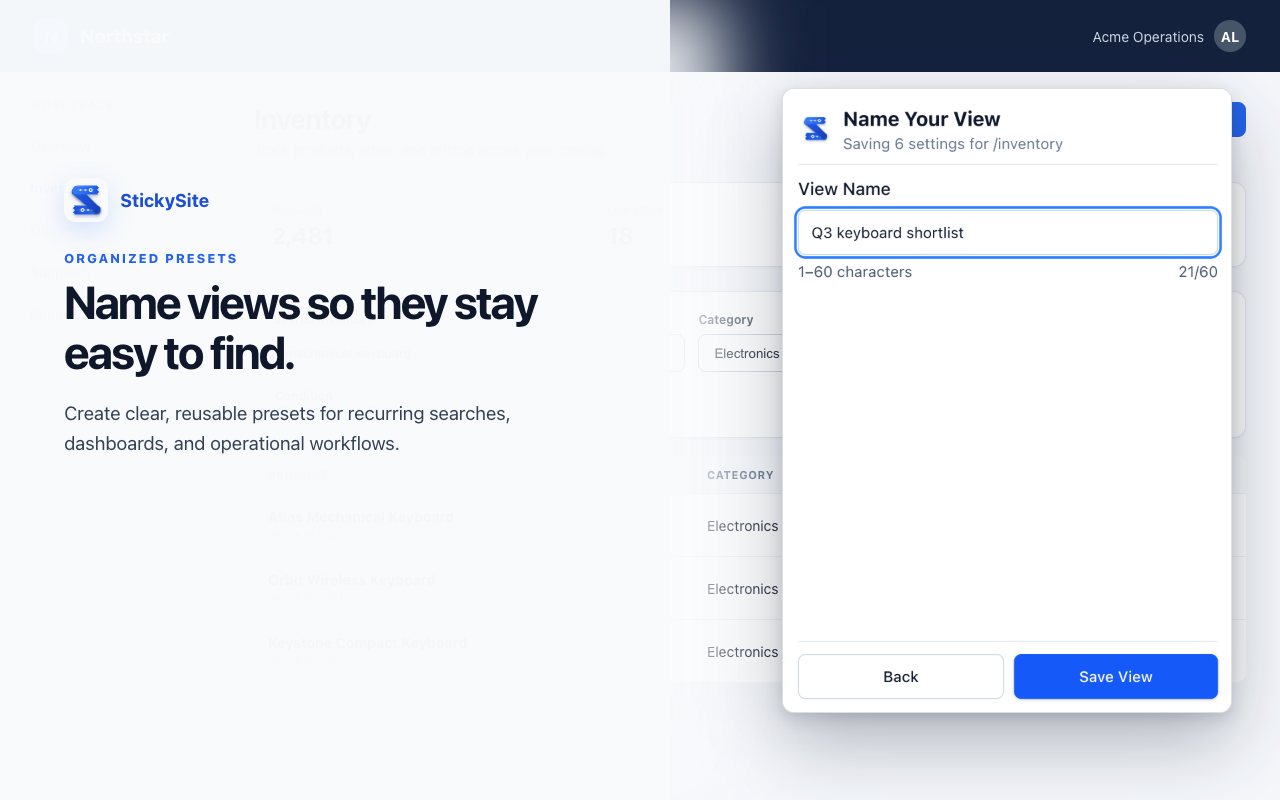
- Multi-view manager: save multiple presets per site (e.g., "Q3 Open Bugs")
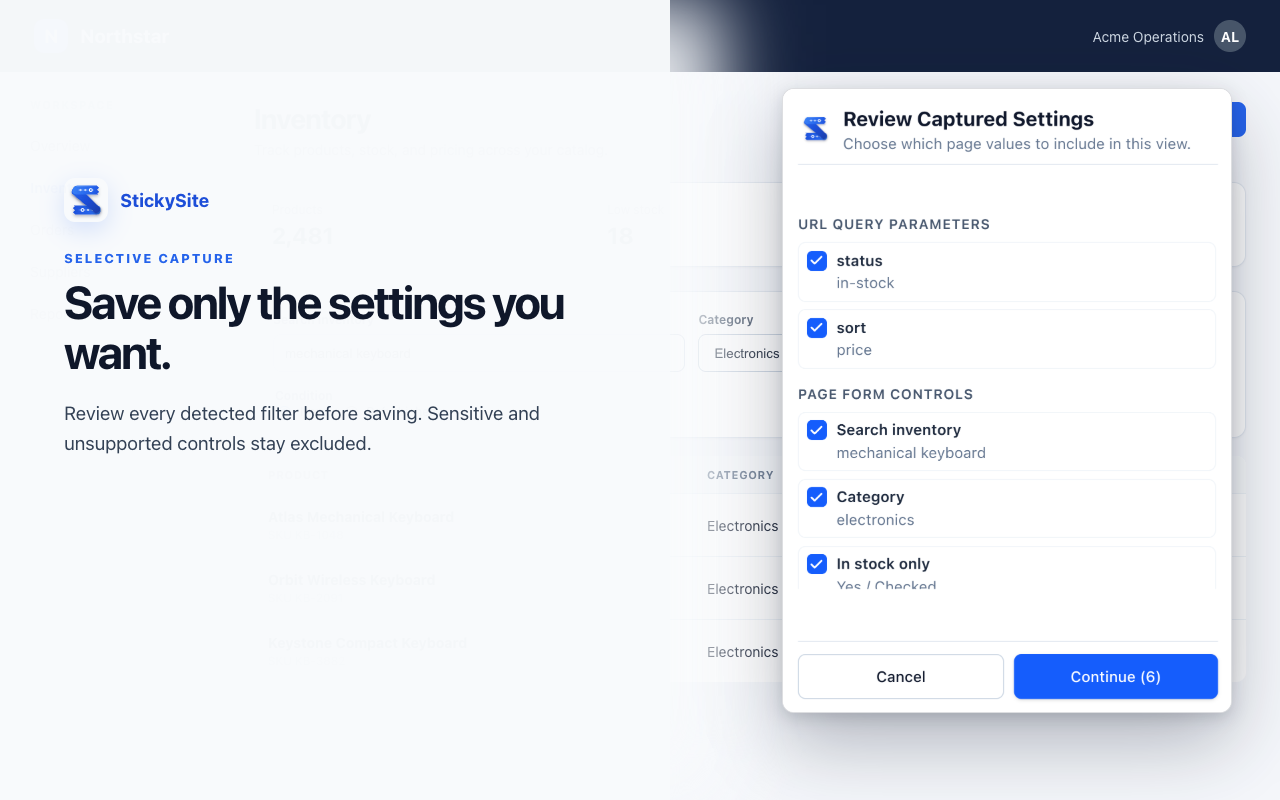
- Selective capture review: toggle off any field before saving
Experience one-click restoration
Click a preset below or change the controls on the simulated dashboard. Watch how StickySite remembers and re-applies exact form states.
Engineering Sprint Board
 StickySite Views
 Engineered for speed, built for daily workflows
Everything you need to capture, organize, and restore customized webpage views across dashboards, issue trackers, and online stores.
One-Click Filter Restoration
Reapply deep search parameters, complex dropdown states, text filters, and active toggles in milliseconds without tedious manual clicking.
Selective Capture Review
Inspect every detected filter control and URL query parameter before saving. Exclude private or irrelevant fields with a single switch.
Multi-View Preset Manager
Save unlimited custom views per domain. Give them recognizable names like 'Sprint 42 P0s', 'US Inventory Under $500', or 'Quarterly Revenue'.
Smart Cross-Page Navigation
Clicking a saved view automatically navigates your browser tab to the destination URL, waits for the DOM to settle, and populates the form.
Transparent Feedback & Match Status
Clear feedback tells you exactly how many inputs succeeded, flagged partial matches, or alerted you if the webpage updated its layout.
Proactive Safety Guardrails
Passwords, credit card numbers, auth tokens, and sensitive personal identifiers are strictly ignored. Nothing sensitive is ever stored.
Selective Capture Review
Unlike blind autofill tools, StickySite lets you preview every discovered control before you hit save. Toggle off query parameters you don't want to track, inspect form values, and keep your views clean and focused.
- ✓ View exact control fingerprints (ID, label, name, placeholder)
- ✓ Granular switches to include/exclude individual parameters
- ✓ Zero hidden automation or unverified background actions
Built for the tools you rely on every day
Whether you manage engineering sprints, analyze customer retention, or shop online, StickySite eliminates repetitive form setup.
Never rebuild complex dashboard segments
Save multi-touch date range comparisons, breakdown metrics, environment tags, and query segments across reporting tools.
Jump straight to your active sprint tasks
Switch between 'My In-Progress Reviews', 'P0 Production Blockers', and 'Sprint 42 Triage' without adjusting 5 dropdowns every morning.
Keep your exact shopping preferences pinned
Tired of web stores resetting your shoe size, price ceiling, and 'In-Stock Only' toggles when you navigate? StickySite locks them in.
Reopen pipeline views with one click
Keep territory filters, lead scoring stages, close date quarters, and opportunity owners saved across internal sales portals.
Retain high-specificity search parameters
Preserve advanced candidate criteria, experience levels, remote work toggles, and salary minimums across job platforms.
Accelerate back-office operations
Quickly access database tables, billing lookups, audit log date boundaries, and customer status filters on company admin tools.
Your data belongs to you. It never leaves your browser.
Unlike cloud-synced extensions that sell browsing habits or read private form fields, StickySite is built around a zero-knowledge, local-first architecture.
100% Local-First Storage
All your saved views, filter parameters, and page configurations reside exclusively inside your device's chrome.storage.local. No user account is needed, and no telemetry syncs your views to cloud servers.
Proactive Safety Filtering
StickySite scans DOM attributes and automatically blocks sensitive fields before saving. Passwords, credit cards, bank details, authentication tokens, and personal IDs are strictly ignored and never recorded.
Zero Destructive Actions
StickySite only populates form controls and filters. It is architecturally incapable of triggering "Submit", "Pay", "Purchase", "Delete", or confirmation buttons, preventing unintended side effects.
Least-Privilege Permissions
No blanket <all_urls> permission upon installation. Origin access is requested on-demand only when you explicitly choose to save or restore a view on that specific website.
Frequently Asked Questions
Everything you need to know about how StickySite saves, manages, and restores your customized page views.
How is StickySite different from standard browser bookmarks?
Standard browser bookmarks only remember the static webpage URL. Modern single-page applications (like Jira, Mixpanel, Linear, or e-commerce stores) often store active filter states, date ranges, and form choices purely in client-side memory or dynamic DOM controls without updating the address bar. StickySite inspects and restores the actual interactive form elements, dropdown menus, search inputs, and checkboxes on the page.
What types of form controls and filters can StickySite save?
StickySite detects and restores standard and dynamic form controls, including text inputs, search boxes, dropdown selects (<select> and ARIA role='combobox'), date range pickers, number inputs, radio buttons, and checkboxes, along with URL query parameters.
Can I save multiple views for the same domain?
Yes! You can save as many named views per website as you need. For example, on an issue board, you might have 'Q3 High Priority Bugs', 'Sprint 42 Reviews', and 'Unassigned Tasks'. Each view is independently named, updated, or removed with a single click.
Does StickySite capture passwords, credit cards, or personal data?
No. StickySite includes strict safety exclusion filters. Input fields matching password types, credit cards, bank account details, Social Security Numbers, one-time authentication tokens (2FA/OTP), and sensitive query tokens (e.g. auth, jwt, secret) are automatically detected and completely ignored.
What permissions does StickySite request?
StickySite adheres to least-privilege security. It uses 'storage' to persist views locally in your browser, 'scripting' & 'activeTab' to scan form controls when you click the popup, 'tabs' to navigate to your saved URLs, and 'favicon' to display site icons. It declares host permissions as optional, requesting access only for the specific websites where you choose to use the extension.
Does StickySite submit forms automatically?
No. StickySite is strictly non-destructive. It only restores values into form controls and filters. It never triggers 'Submit', 'Pay', 'Buy', 'Delete', or confirmation buttons.
Where is my data stored? Is an account required?
All view presets and configuration data stay 100% on your device inside your browser's local storage. No account is required to use StickySite, and no personal data is uploaded to external cloud servers.
Stop resetting your filters every single day
Save your first view preset in less than 30 seconds. Works seamlessly across dashboards, issue trackers, e-commerce stores, and internal company tools.